Apply online
Share your license, vehicle, insurance, and the city where you plan to drive.
 Get the app
Ride is preparing its first driver markets. Join the early-driver waitlist to receive launch and application updates for your area.
Tell us where and when you want to drive. Joining is not an application or guarantee of approval; we will contact you when driver enrollment opens in your market.
Every step stays straightforward, so you know what is needed and what comes next.
Share your license, vehicle, insurance, and the city where you plan to drive.
Follow document status and approval updates from one connected driver account.
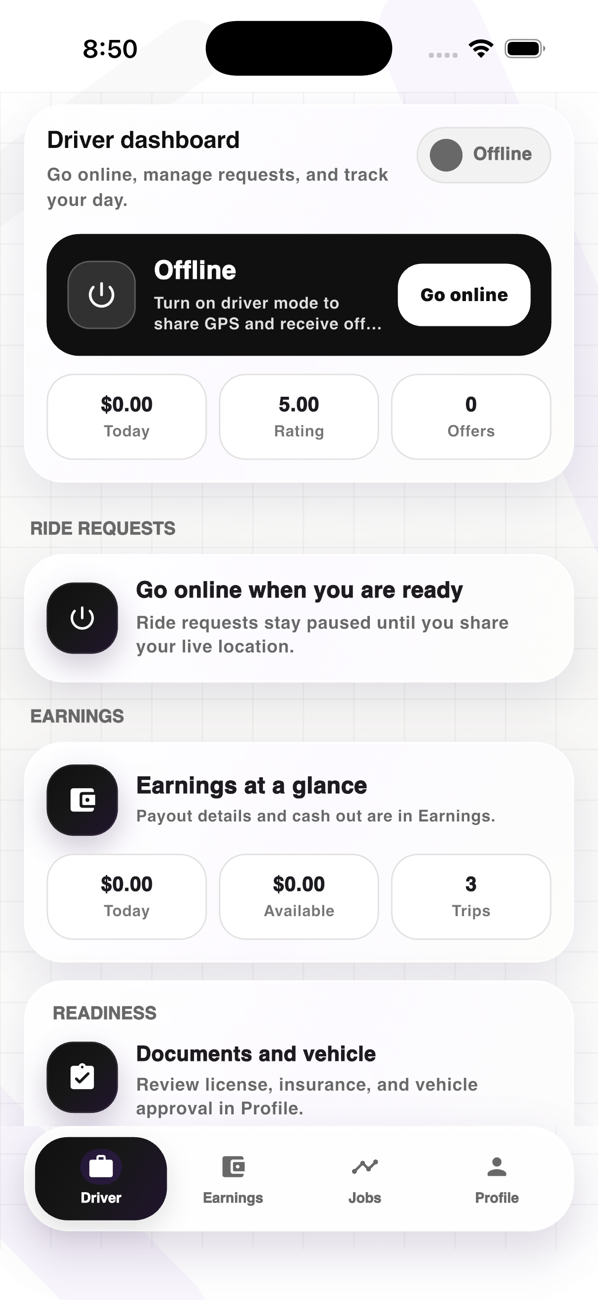
Choose your hours, review nearby requests, and accept the trips that fit your day.
A calm dashboard keeps the workday moving without crowding the screen.
See pickup context and trip details before deciding whether to accept.
Follow navigation, rider notes, and arrival details through pickup.
Review today, available balance, completed trips, and payout activity.
Open safety and support tools without leaving the active trip flow.
Quick answers about requirements, flexibility, the driver app, and payouts.
You will need a valid driver's license, an eligible vehicle, proof of insurance, and basic information for a background review.
Yes. Go online when your schedule opens up and stop accepting requests when you are done.
The app keeps requests, pickup guidance, navigation, earnings, and support tools in one connected experience.
Review completed trips, weekly earnings, payout status, and available payout options from your account.
Join the waitlist today and we will let you know when driver applications open in your area.